
Gemini Watermark Remover
Instantly remove watermarks from Gemini-generated images with our powerful free AI tool. Upload any photo and get a clean, professional result in seconds — no editing skills required.
Remove Gemini Watermarks from Your Images
Upload a Gemini-generated image and let our free AI automatically detect and erase the branding overlay
Model Settings


Your Result Will Appear Here
Upload an image with a watermark to see the magic happen!
What Is a Gemini Watermark?
When Google's Gemini AI generates an image, it automatically applies a text overlay — usually the word 'Gemini' or a Google AI branding element — to indicate the content was created by artificial intelligence. While this serves as a transparency marker, it can be distracting when you want to use the image for professional or creative purposes.
A Gemini watermark remover is a specialized AI-powered tool designed to detect these specific branding patterns and seamlessly erase them while reconstructing the original image content beneath. Unlike generic watermark removal tools, a free Gemini watermark remover trained specifically on Google AI's watermark style ensures more accurate detection and cleaner results.
Whether you're a content creator looking to use Gemini-generated images in your blog, a designer incorporating AI visuals into mockups, or a marketer preparing polished campaign materials, a free Gemini watermark cleaner is often the final step before publication.
Why Choose Our Gemini Watermark Remover?
Advanced AI technology specifically optimized for removing Google AI image signatures — 100% free to try
Gemini-Specific Detection
Our AI is trained on thousands of Gemini-generated images to accurately identify and remove Google AI's unique branding patterns, including text overlays, embedded signatures, and semi-transparent watermarks that generic tools often miss.
Seamless Image Restoration
Intelligent reconstruction algorithms fill the watermark area with contextually matching background content. The result is a natural, artifact-free image where no one can tell a watermark was ever present.
Fast Batch Processing
Need to clean multiple Gemini images? Our tool handles batch processing efficiently, making it ideal for content creators and agencies who work with large volumes of AI-generated visuals.
Original Quality Preserved
Your image resolution and quality remain intact throughout the entire removal process. No downsampling, no pixelation, no compression artifacts — just the same great image without the watermark.
See the Gemini Watermark Remover in Action
Real examples showing how our AI-powered tool removes Gemini watermarks while preserving image quality

Landscape Photography
AI-generated landscape images often feature prominent Gemini branding across scenic backgrounds. Our tool removes the text while faithfully reconstructing sky gradients, terrain textures, and natural lighting — delivering a print-ready landscape photo.

Portrait & Character Art
Gemini excels at generating realistic portraits and character illustrations. After removing the watermark, these images are ready for book covers, game assets, social media profiles, and digital art portfolios.
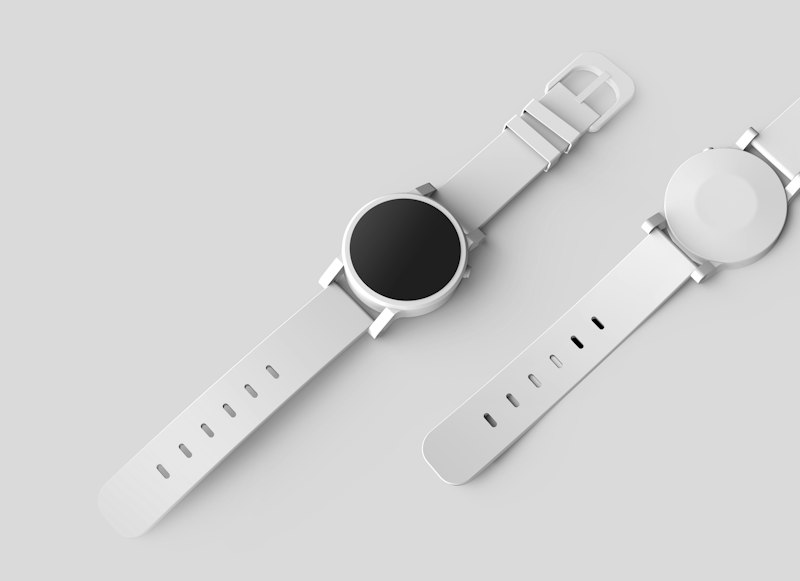
Product & E-commerce
AI-generated product shots and lifestyle images can be transformed into clean commercial assets. Remove the Gemini watermark to create professional product listings, banner ads, and catalog imagery.
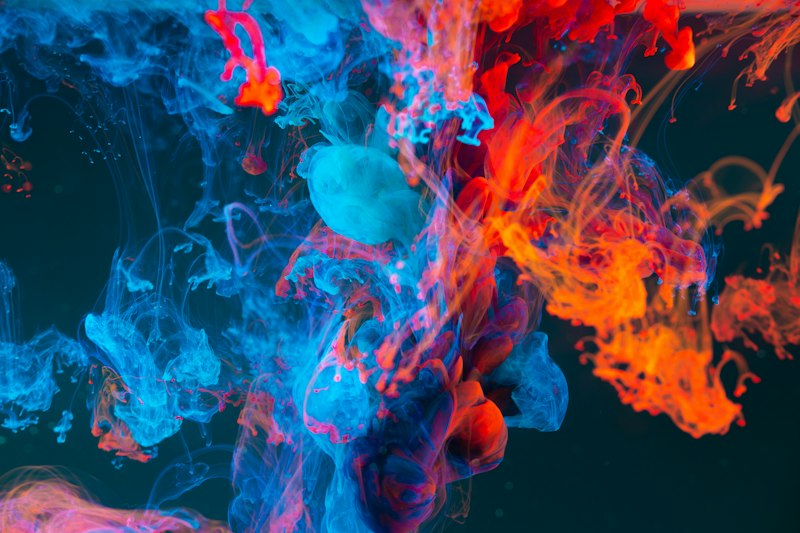
Abstract & Creative Art
From abstract compositions to creative illustrations, our Gemini watermark remover handles complex textures, gradients, and artistic patterns without leaving visible traces of the original branding.
How to Remove Gemini Watermarks in 3 Steps
No technical skills needed — just upload, process, and download your clean image
Upload Your Gemini Image
Click the upload area or drag and drop any image that contains a Gemini watermark. We support JPG, JPEG, PNG, and WebP formats up to 20MB. The tool accepts any resolution.
AI Detects & Removes
Our AI automatically scans the image to locate the Gemini branding pattern — whether it's a corner text stamp, a centered overlay, or a semi-transparent signature — and reconstructs the hidden content.
Download Clean Result
Once processing is complete (typically 30-90 seconds), download your watermark-free image in the original format and resolution. It's ready for websites, print, social media, or any other use.
Who Benefits from Gemini Watermark Removal?

Use Gemini-generated images as featured visuals in blog posts, YouTube thumbnails, and newsletters without distracting branding overlays. Clean images increase reader engagement and professional credibility.

Incorporate AI-generated visuals into design projects — from website mockups and UI kits to poster designs and brand materials — with clean, professional-looking images that match your creative vision.

Create polished ad creatives, email headers, and landing page hero images using Gemini-generated photos. Removing the watermark ensures your marketing materials look professional and on-brand.

Share stunning AI-generated visuals on Instagram, X (Twitter), LinkedIn, and other platforms without watermarks cluttering your posts. Clean images perform better and look more authoritative.
Frequently Asked Questions
What is a Gemini watermark?
A Gemini watermark is a text overlay or embedded signature added by Google's Gemini AI to images it generates. It typically appears as 'Gemini' text or a Google AI branding element on the image, indicating the content was AI-generated. This watermark is applied automatically by Google to promote transparency about AI-generated content.
How does the Gemini watermark remover work?
Our AI analyzes the uploaded image to detect the specific Gemini branding pattern, including its exact position, font style, size, and transparency level. It then uses advanced inpainting algorithms to intelligently reconstruct the underlying image content using surrounding pixels and contextual clues, creating a seamless and natural-looking result that is virtually indistinguishable from the original.
Can I use the cleaned images commercially?
Yes, you can use the processed images for commercial purposes including marketing materials, website content, social media posts, product listings, and print media. However, please ensure you have the rights to use the original AI-generated image according to Google's terms of service and any applicable licensing agreements.
Will the image quality be affected after watermark removal?
No, our Gemini watermark remover maintains the original resolution and quality of your image throughout the entire process. The AI ensures that the reconstructed area blends naturally with surrounding pixels without any visible artifacts, color shifts, blurring, or quality loss. The output image is pixel-perfect.
How long does it take to remove a Gemini watermark?
Most Gemini watermark removal tasks complete within 30-90 seconds, depending on the image size, resolution, and the complexity of the watermark pattern. Larger images with intricate backgrounds may take slightly longer. Our AI processing pipeline is optimized for speed without compromising output quality.
What image formats and sizes are supported?
We support all common image formats including JPG, JPEG, PNG, and WebP. You can upload images up to 20MB in size. The tool handles all standard resolutions from web-optimized sizes to high-resolution print-quality images.
Is my uploaded data secure and private?
Yes, all images are processed securely using encrypted connections and are automatically deleted from our servers after processing is complete. We do not store, share, or use your uploaded images for any purpose other than the requested watermark removal.
What if the watermark removal result is not satisfactory?
If the result doesn't meet your expectations, you can try adjusting the prompt description to be more specific about the watermark location, size, and style, then regenerate the image. You can also try re-uploading the image at a higher resolution. If issues persist, our support team is available to help.
Ready to Remove Gemini Watermarks?
Join thousands of creators who trust our Gemini watermark remover to transform AI-generated images into clean, professional visuals. No signup, no watermarks, no hassle.